Introduction
Welcome to the Meeting Synergy Tag! This guide will assist you in getting started and maximizing the use of our features to enhance your Zoom meetings.
1. Installation
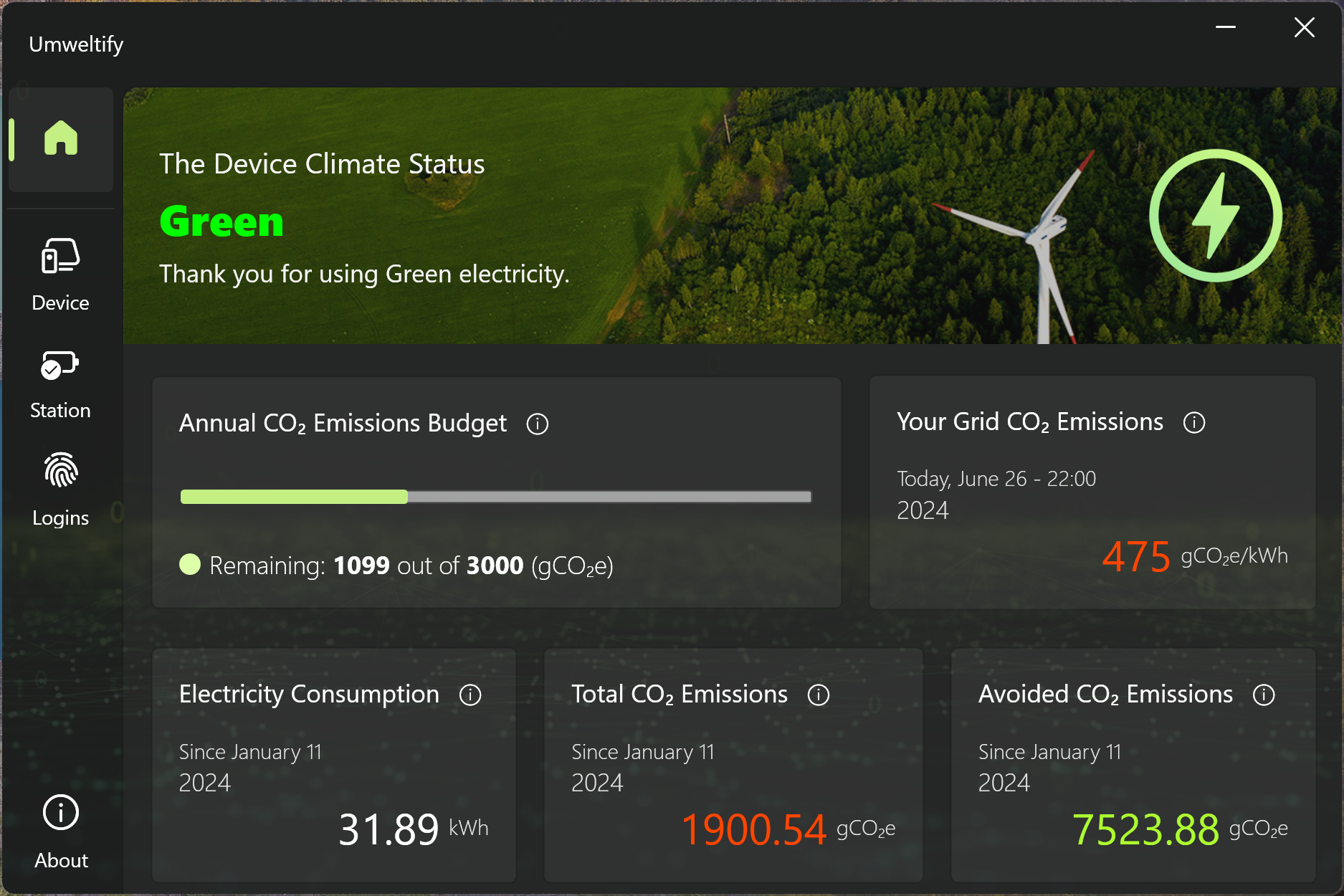
Step 1: Install the App
- Download ThingsApp for desktop.
- Supported OS: Windows 10 and 11.
- Connect to a Green Station: Launch ThingsApp and connect using the station code provided.
- Open Zoom: Launch your Zoom application.
- Navigate to the App Marketplace: Click on the
Appstab. - Search for Meeting Synergy Tag: Enter "Meeting Synergy Tag" in the search bar.
- Install the App: Click
Installand follow the prompts. Alternatively, install it from this link.
Step 2: Authorize the App
- Authorize Access: Upon installation, you’ll be prompted to authorize ThingsApp to access your location and Wi-Fi.
- Grant Permissions: Review the permissions and click
Authorizeto proceed.
2. Getting Started
Step 1: Start a Meeting
Begin or join a Zoom meeting. Meeting Synergy Tag functions only within a meeting context.
Step 2: Open Meeting Synergy Tag
- Access Meeting Synergy Tag: In your Zoom app, click on the
Appstab. - Select Meeting Synergy Tag: Choose Meeting Synergy Tag from the list of installed apps.
Step 3: Verify Your Device
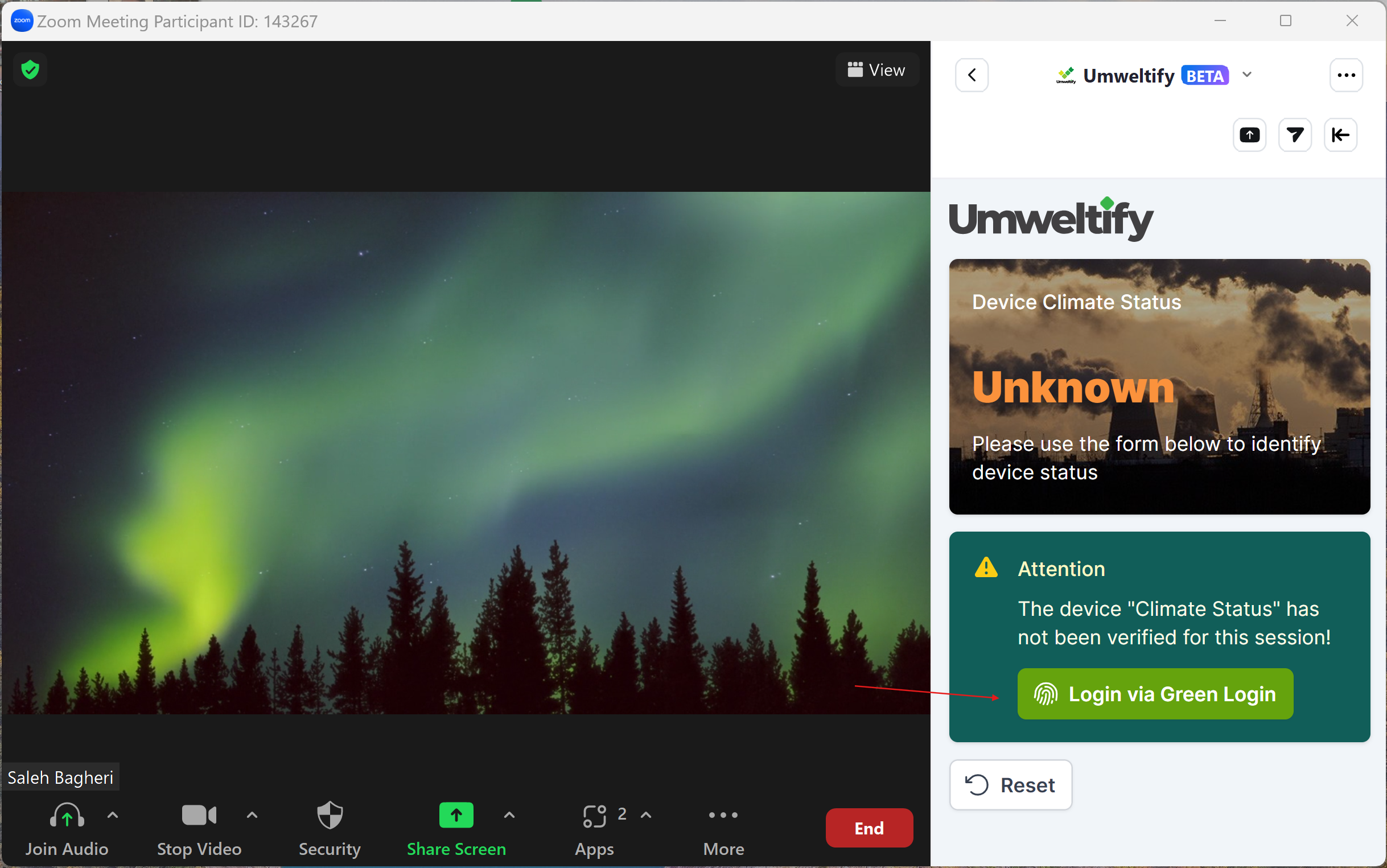
- Verify Device: Click on the
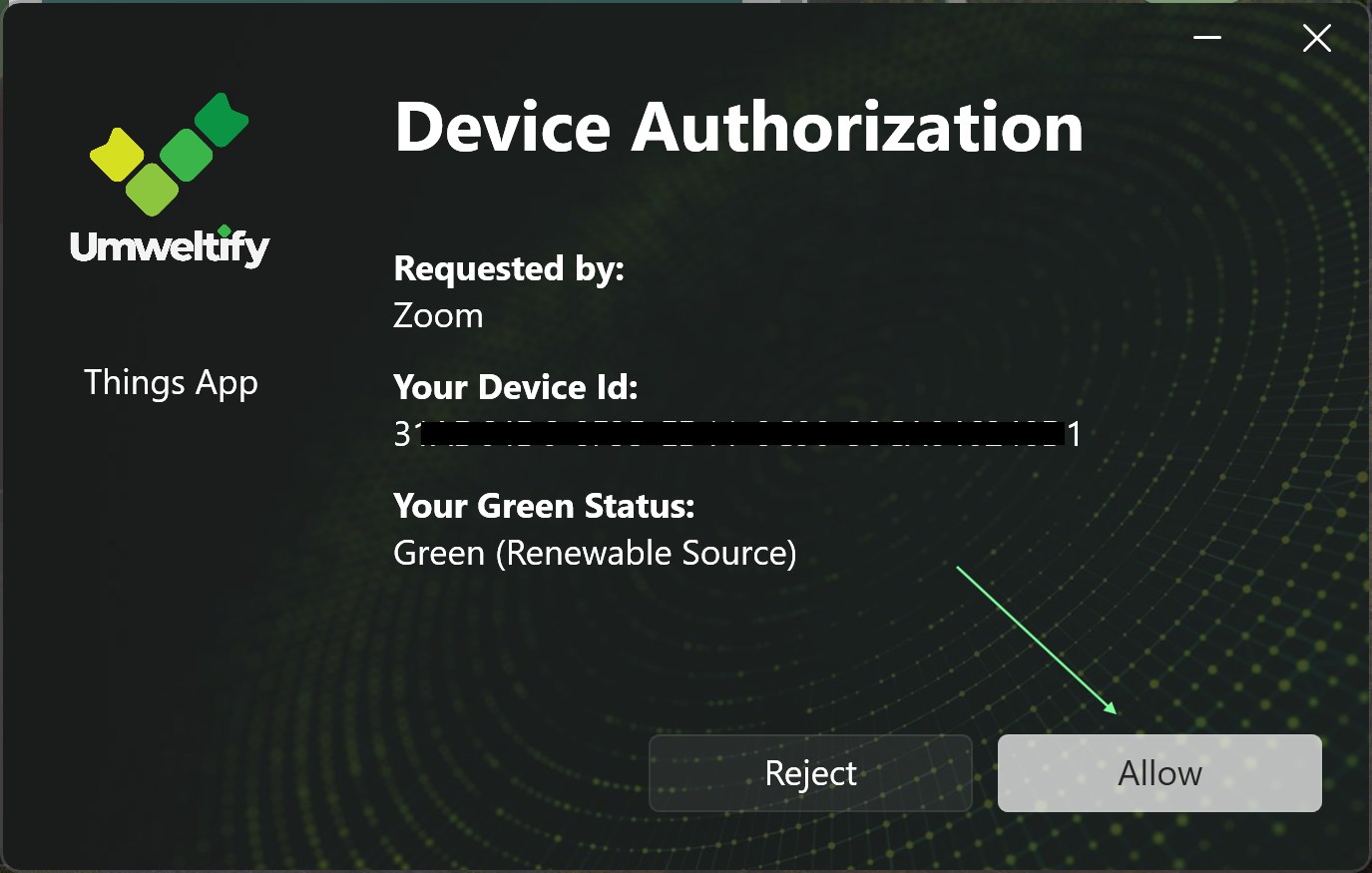
Login via Green Loginbutton to check your device's climate status. - Authorize Login: You will be redirected to the “Umweltify Green Login” page. Click
Authorize, which will prompt you to open ThingsApp. - Grant Access: Allow the app to use your “Device climate status,” then return to Zoom to confirm your status update.
3. Display Your Green Badge
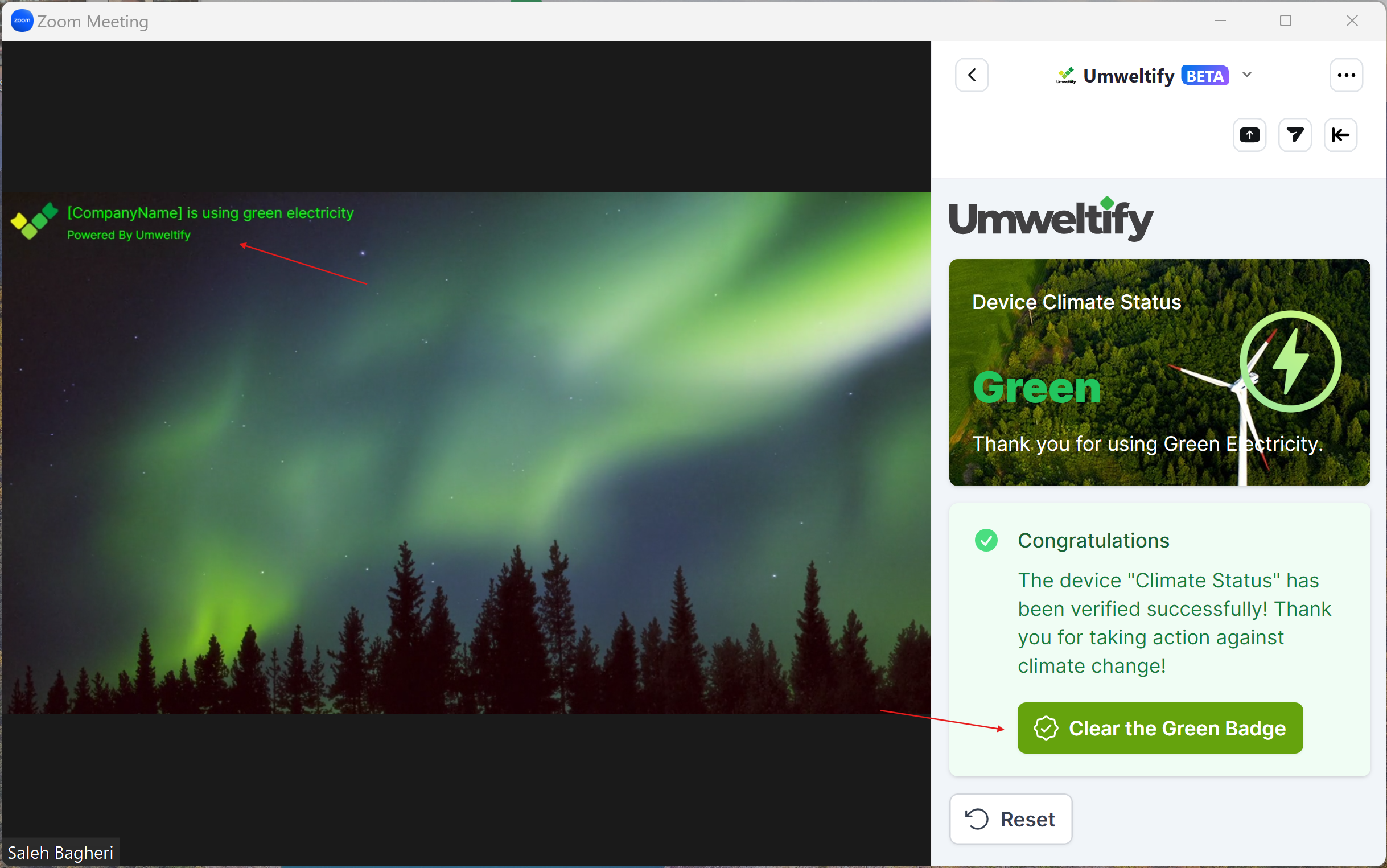
In an online meeting, you can display your green badge to show that you are using green electricity on your current device. This not only highlights your commitment to sustainability but also encourages others to use green electricity.
Troubleshooting
Common Issues
- App Not Showing Green: Ensure you are using the correct station code that matches your current location.
- Data Not Updating: Check your internet connection and try refreshing the app.
Contact Support
If you encounter any issues, please reach out to our support team for assistance:
- Email: hello@umweltify.com
- Phone: +49 176 7696 5380